



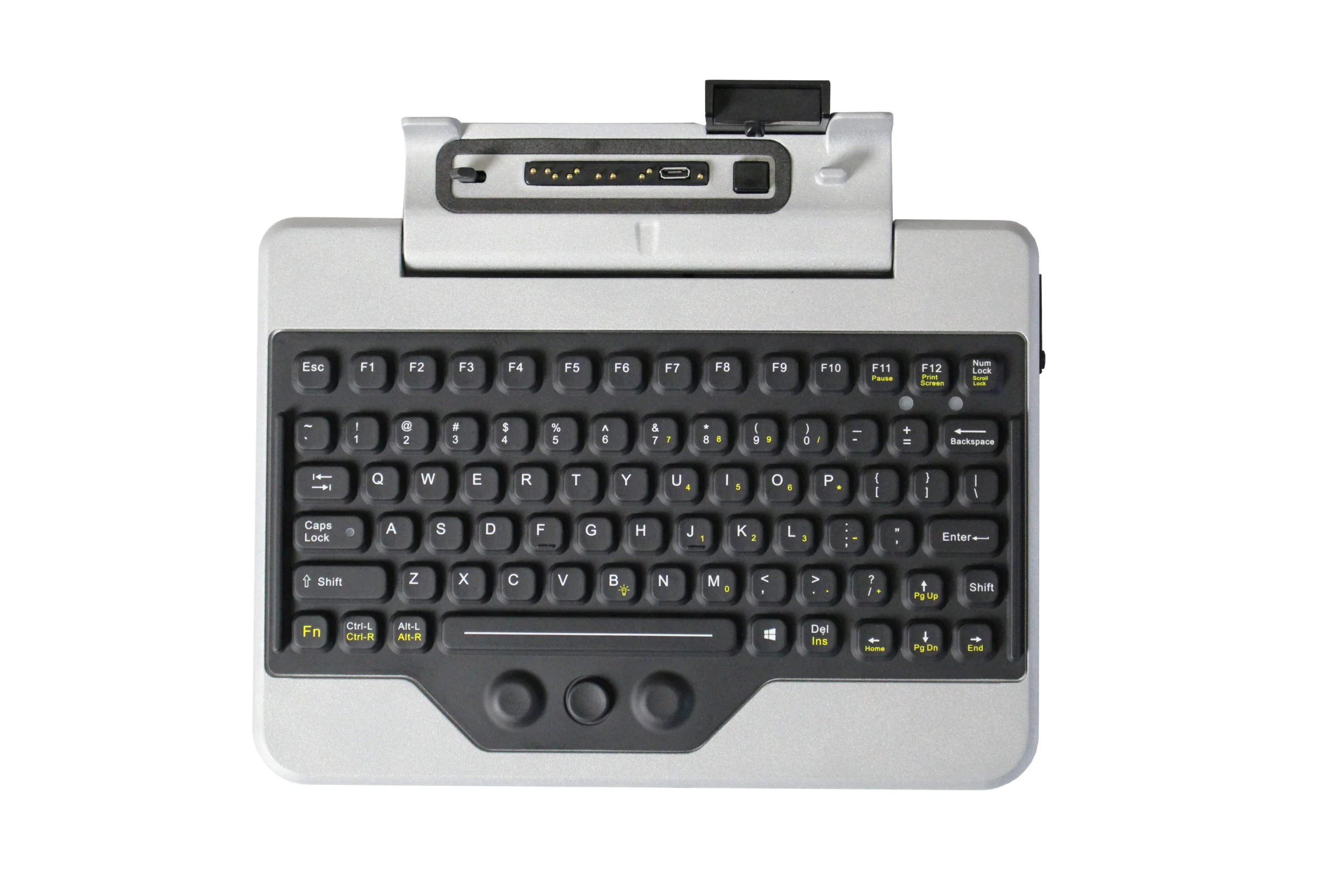
Rugged tablets are useful for mobile teams because they are light, portable, and built for job-site conditions. Still, touchscreen typing is not always the best option when workers need to complete reports, enter service notes, fill out inspection forms, or update job records. A panasonic fz m1 keyboard can make the Panasonic Toughpad FZ-M1 more practical for workers who need faster, more accurate typing in the field.
The Panasonic Toughpad FZ-M1 is often used by teams that work outside the office. It may be used in service vehicles, warehouses, job sites, utility locations, delivery routes, and inspection areas. In these settings, every minute matters. Workers need equipment that supports the way they actually work, not just the way devices are used in an office.
Why Touchscreen Typing Is Not Always Enough
Touchscreens are helpful for simple tasks. They work well for tapping buttons, checking boxes, opening apps, reading documents, viewing maps, and capturing signatures. But when a worker needs to type more than a few words, the touchscreen can become limiting.
Field workers often need to type in less-than-perfect conditions. They may be wearing gloves. They may be inside a truck. They may be working in cold weather, bright sunlight, dusty areas, or tight spaces. In those moments, an on-screen keyboard can slow down the task.
Longer notes can also become a problem. A service technician may need to describe a repair. An inspector may need to record findings. A warehouse worker may need to update inventory details. A public safety worker may need to enter a report. These tasks are easier with physical keys, especially when accuracy matters.
Typing mistakes can also create follow-up work. Incorrect part numbers, wrong addresses, incomplete notes, or missing details can lead to delays. A physical keyboard helps reduce these issues by giving workers a more familiar typing experience.
How a Rugged Keyboard Helps Field Workers
A rugged keyboard can make the FZ-M1 easier to use for daily field tasks. Instead of relying only on the touchscreen, workers can type faster and with better control. This is especially helpful for teams that use forms, service software, route systems, asset records, or customer notes.
Physical keys can also help workers stay focused. Touchscreen typing often requires workers to look back and forth between the screen and keyboard. A physical keyboard can feel more natural, which helps reduce typing strain during longer tasks.
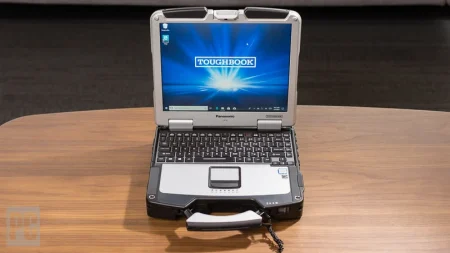
Another benefit is better handling. Many rugged tablet keyboards are designed to work with mobile equipment. Depending on the setup, the keyboard may help turn the tablet into a more laptop-like tool. This can be useful in vehicles, workshops, warehouses, and temporary workstations.
For teams that rely on rugged tablets throughout the day, small improvements in usability can make a real difference. Faster data entry means less time spent on paperwork and more time spent completing the job.
Work Environments That Benefit from Rugged Tablet Keyboards
Many industries depend on rugged tablets because standard devices may not last in harsh conditions. Adding the right keyboard can make those tablets even more useful.
Field service teams can use a keyboard to enter job notes, update work orders, write service summaries, and record customer details. Utility crews can use it for asset records, inspection data, meter notes, and field reports. Logistics teams can enter shipment details, route updates, and delivery records with less effort.
Construction teams may use rugged tablets to review plans, update punch lists, track materials, and document site progress. Public safety teams may need to enter incident notes, access reports, or update records from vehicles. Manufacturing and warehouse teams may use rugged tablets for inventory control, maintenance records, and equipment checks.
Across these industries, the goal is simple: help workers complete digital tasks without slowing down the physical work they are already doing.
What to Check Before Buying a Keyboard Accessory
Before choosing a keyboard for a Panasonic Toughpad FZ-M1, compatibility should be the first concern. Rugged devices often have model-specific accessories, so it is important to confirm that the keyboard is made for the correct tablet model.
Buyers should also consider how the keyboard will be used. Will it stay in a vehicle? Will workers carry it from site to site? Will it be used on a desk, mounted setup, or mobile cart? The work environment should guide the buying decision.
Keyboard layout is another important detail. Workers should be able to type comfortably and reach common keys without trouble. Connection type, mounting support, cable needs, and power requirements should also be reviewed before purchase.
Condition also matters when buying rugged accessories. A dependable supplier should clearly explain the product condition and what is included. This helps avoid missing parts, wrong connections, or accessories that do not fit the intended device.
Why Accessories Matter in Rugged Computing
A rugged tablet alone can handle many tasks, but the right accessories can make it much more useful. Keyboards, docks, chargers, batteries, straps, mounts, and cases help match the device to the work environment.
For many teams, accessories are not optional extras. They are part of the full field setup. A technician who types reports daily may need a keyboard. A driver may need a vehicle dock. A warehouse worker may need a scanner. A supervisor may need spare chargers and batteries.
When companies choose the right accessories, they can get more use from their rugged tablets and reduce daily friction for workers. This can also help extend the service life of the device because the tablet is being used in a way that fits the job.
Final Thoughts
The Panasonic Toughpad FZ-M1 is a strong choice for mobile teams, but a physical keyboard can make it more practical for regular data entry. For workers who complete reports, service notes, inspections, delivery records, or asset updates, the right keyboard can save time and reduce typing errors.
If your team uses rugged tablets and needs reliable accessories for daily field work, visit Tough Rugged Laptops to find rugged computing hardware and accessories built for demanding work environments.