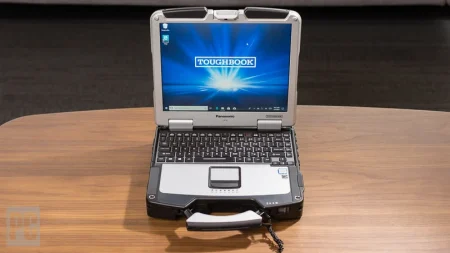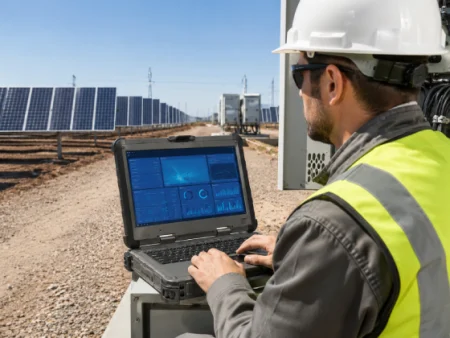




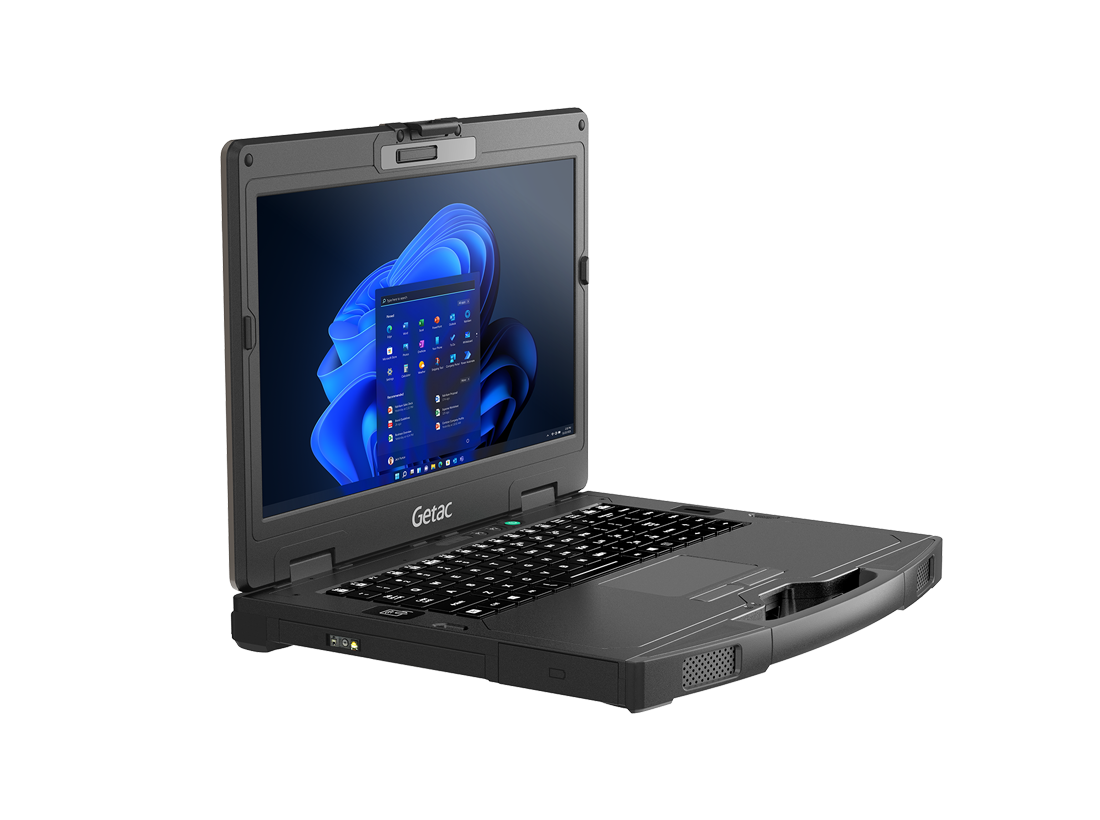
Standard business laptops are convenient for offices but may not withstand frequent travel, vibration, minor drops, dust, and outdoor use. Fully rugged computers offer greater environmental protection, but that level of construction may exceed the needs of employees who spend much of their time in vehicles or sheltered locations. A Semi rugged laptop provides a middle option for mobile professionals who need more physical protection than a consumer computer without the added weight and cost of a fully rugged system.
What Does Semi-Rugged Mean?
“Semi-rugged” describes a computer built to tolerate more demanding conditions than a standard business laptop. It does not refer to one universal set of specifications. Protection levels, testing procedures, materials, and design features differ between manufacturers and models.
Common semi-rugged features may include:
- Reinforced outer casings
- Stronger screen hinges
- Shock-resistant storage
- Spill-resistant keyboards
- Protected or covered ports
- Added resistance to vibration
- Brighter outdoor-viewable displays
- Carrying handles
- Vehicle docking support
Buyers should review the specifications and testing information for each model instead of relying only on the semi-rugged label.
How Does It Compare With Other Laptop Types?
Business computers generally fall into three broad categories based on their level of physical and environmental protection.
Standard Business Laptops
Standard laptops are best suited to:
- Offices and meeting rooms
- Homes and classrooms
- Controlled indoor settings
- Occasional business travel
- Desk-based administrative work
These devices may be lighter and less expensive, but they are not usually designed for repeated vibration, frequent outdoor use, or exposure to dust and moisture.
Semi-Rugged Laptops
Semi-rugged models are often selected for:
- Vehicle-based employees
- Indoor industrial environments
- Field work performed in mild weather
- Frequent transportation between locations
- Jobs involving occasional dust, vibration, or minor impacts
Fully Rugged Laptops
Fully rugged computers are usually intended for:
- Heavy rain and dusty conditions
- Emergency response
- Military assignments
- Mining and utility sites
- Outdoor construction work
- Locations with higher drop or impact risks
The correct category depends on the employee’s daily environment rather than the job title alone.
Which Work Environments Suit Semi-Rugged Devices?
A semi-rugged computer can be a practical choice when employees divide their time between an office, vehicle, warehouse, and jobsite.
Suitable working conditions may include:
- Service vehicles and mobile workshops
- Warehouses and distribution centers
- Manufacturing facilities
- Covered construction areas
- Maintenance departments
- Fleet management operations
- Field inspections in moderate weather
- Equipment diagnostic stations
For example, an automotive technician may use a laptop beside a vehicle, connect it to diagnostic equipment, and carry it around a workshop. The computer needs better protection against movement and occasional impacts but may not require resistance to heavy rain.
Why Vehicle-Based Work Requires Added Protection
Computers mounted or stored in vehicles experience conditions rarely found in offices. Constant vibration can affect internal parts, ports, screens, and hinges. Devices may also be exposed to temperature changes when a vehicle is parked outdoors.
Features worth considering for vehicle use include:
- Vibration-tested construction
- Compatible mounting docks
- Secure power connections
- Screen visibility in daylight
- Easy access to required ports
- Reliable wireless connectivity
- Removable or replaceable batteries
The mounting system should also be checked for safe placement, screen visibility, cable management, and access to vehicle controls.
What Display Features Matter in the Field?
Outdoor and vehicle use can make ordinary laptop displays difficult to read. Glare and direct sunlight may force employees to reposition the computer or increase screen brightness.
Useful display features include:
- Higher brightness levels
- Anti-reflective screen treatments
- Wide viewing angles
- Touchscreen controls
- Stylus support
- Glove-compatible input
A touchscreen can help workers complete forms, select map locations, and review instructions when a traditional mouse is inconvenient. However, employees preparing long reports may still benefit from a full keyboard and trackpad.
Battery Life and Connectivity Need Careful Review
Semi-rugged construction is only useful if the computer also supports the required working hours and equipment.
Before purchasing, organizations should confirm:
- Expected battery operating time
- Availability of replaceable batteries
- Vehicle charging compatibility
- Number and type of USB ports
- Ethernet and serial port requirements
- Wi-Fi and Bluetooth support
- Mobile broadband options
- GPS availability
- External display connections
- Compatibility with scanners and diagnostic tools
Actual battery life may vary according to screen brightness, wireless use, software demands, temperature, and connected accessories.
Who May Benefit From a Semi-Rugged Laptop?
Semi-rugged computers can serve professionals in several fields, including:
- Automotive diagnostics and repair
- Transportation and fleet services
- Warehousing and logistics
- Construction supervision
- Insurance inspection
- Field sales and customer service
- Manufacturing maintenance
- Utility administration
- Telecommunications support
Before choosing a device, buyers should document how and where employees will use it. This helps prevent paying for protection that is unnecessary or choosing a computer that cannot withstand the working environment.
What Should Buyers Check Before Ordering?
A purchasing checklist should cover:
- Environmental testing
- Drop and vibration resistance
- Keyboard and port protection
- Screen brightness
- Processor and memory
- Storage capacity
- Battery configuration
- Required connections
- Docking compatibility
- Device weight
- Warranty and repair support
- New or refurbished condition
The right semi-rugged computer can provide a practical balance of durability, portability, performance, and cost. Organizations comparing models for vehicle, warehouse, industrial, and mobile work can visit Tough Rugged Laptops to review available computers and choose a configuration that matches their field requirements.